

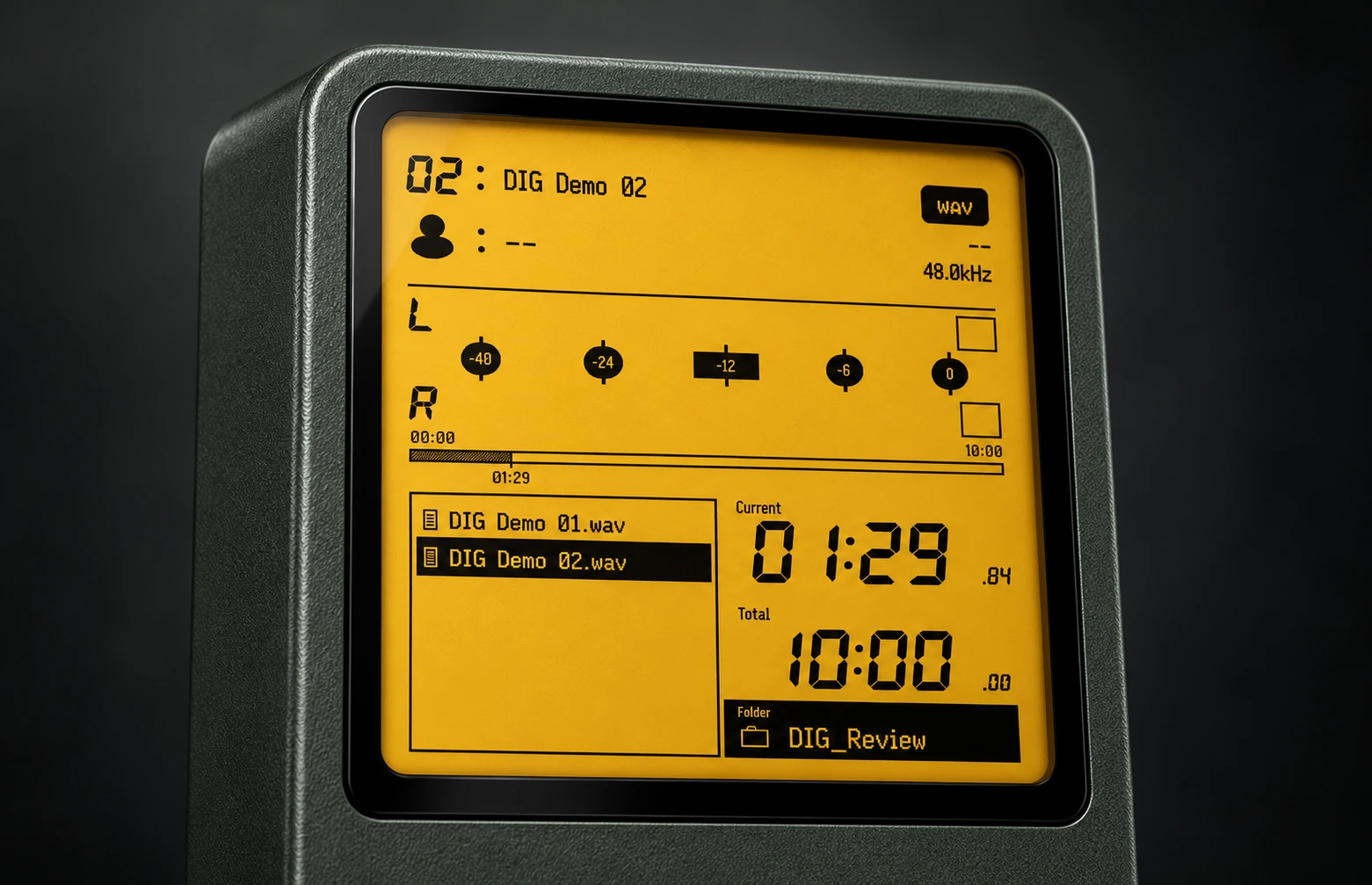
01 / AMBER LCD
Amber LCD
Backlight and afterimages give information a little warmth.
ANDROID · LOCAL MUSIC PLAYER
Bring buttons, a wheel and the feel of tape transport back to the music on your phone. An Android local music player with the warmth of familiar equipment.
Open in Google Play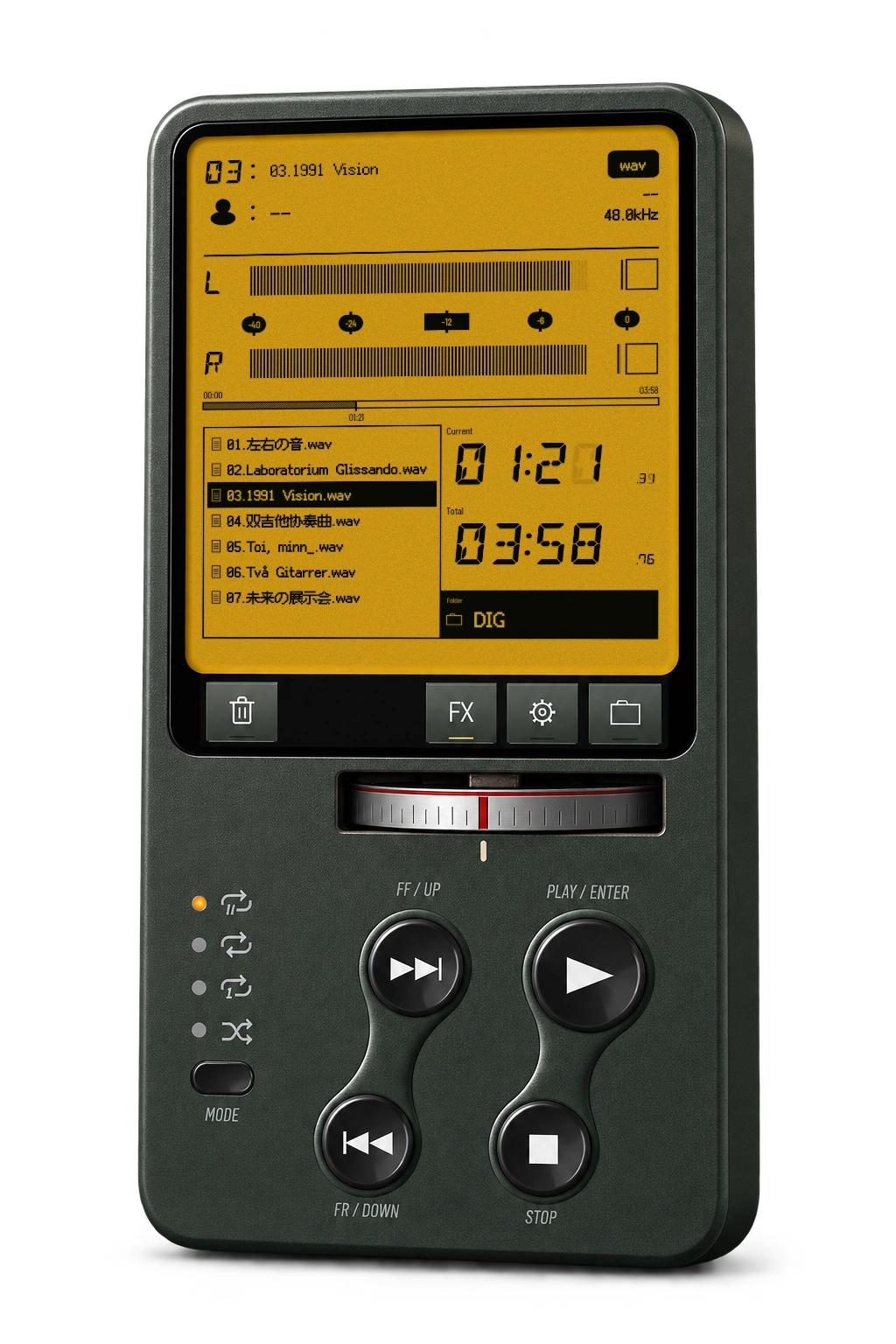
Reflections on glass buttons, markings on a metal wheel, and a little afterglow from an amber LCD. Familiar equipment details return to every listen.
01 / AMBER LCD
Backlight and afterimages give information a little warmth.
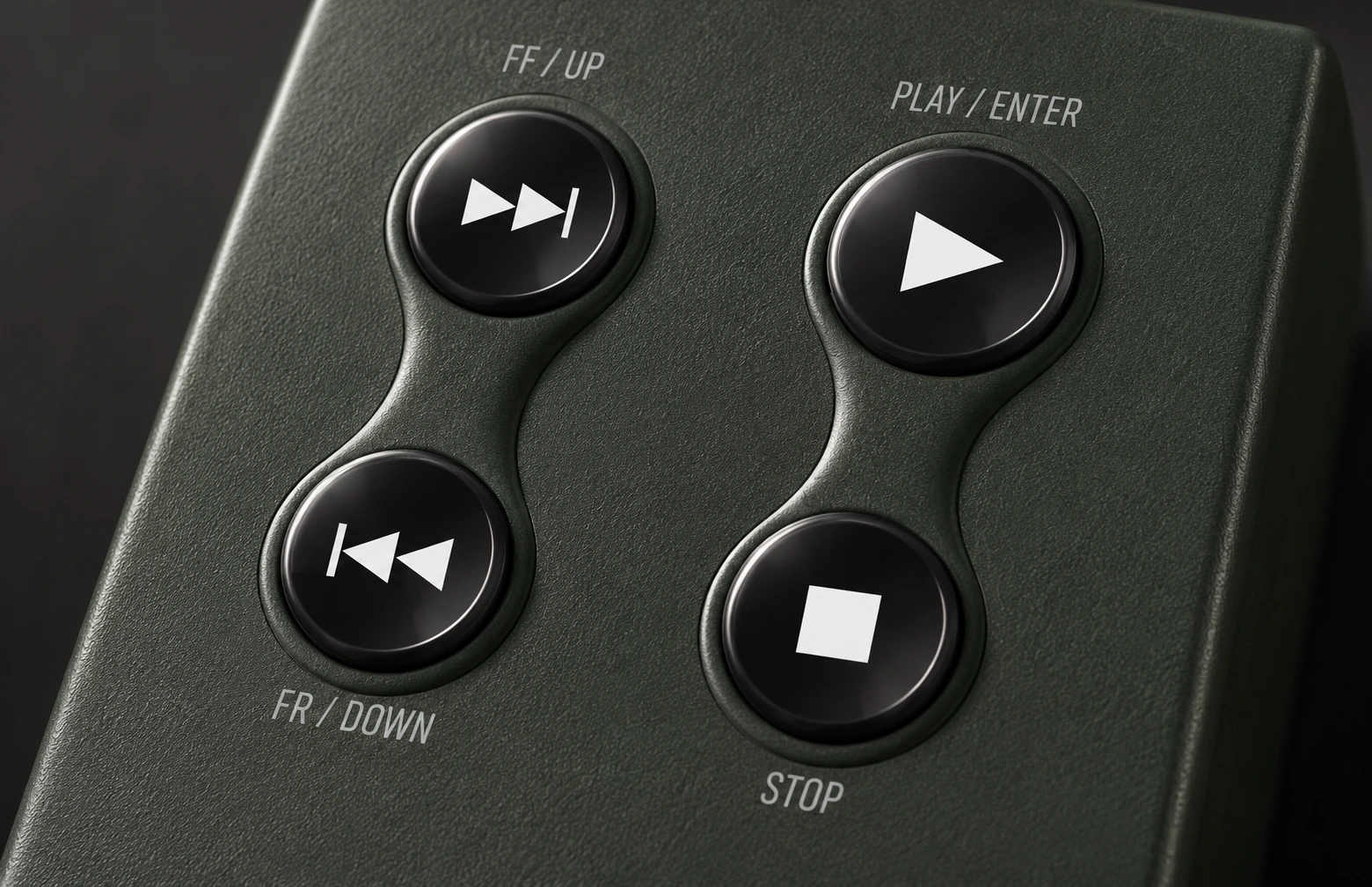
02 / BLACK GLASS
Enable dynamic reflections and let glass lighting follow your phone’s orientation.
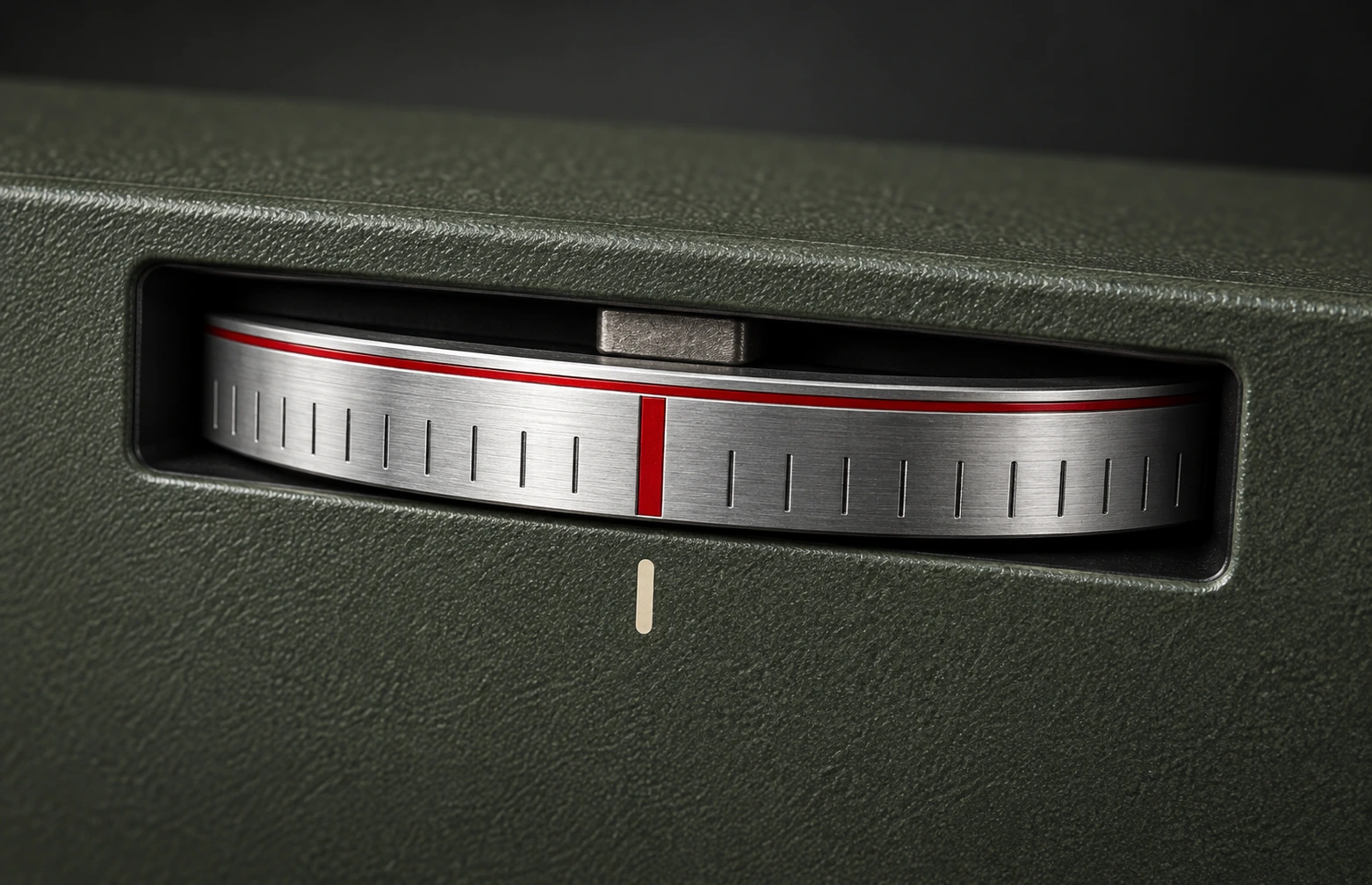
03 / TAPE WHEEL
Marked steps, and changes you can hear.
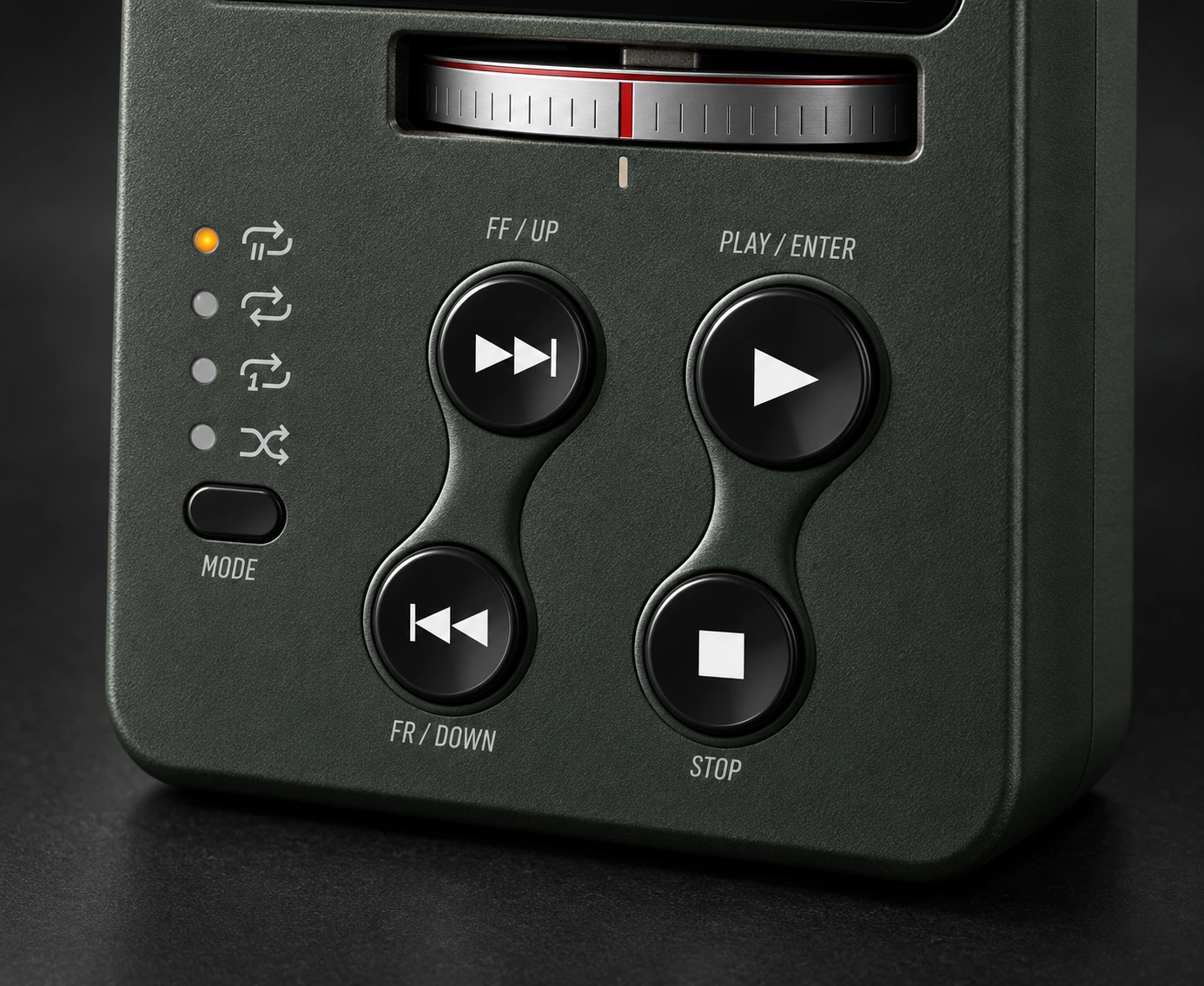
Fast-forward, reverse, slow down. Moving the position also changes the sound.
Move left to go forward, right to reverse. Turn faster for faster changes.
Tap or hold the direction buttons to hear continuous changes in speed.
Familiar physical-style controls also take you straight to the next track.
Hear the journey through the music, rather than simply jumping to a timestamp.
Ten rack slots, six effects. From equalization to the stereo field, arrange them in your own order and save the sound for your next listen.
Eight-band parametric EQ
Four-band dynamic compression
Mastering
Tape noise
Residual and reversed ghost sound
Stereo field
Choose the tape texture you like, from fresh to worn. You can also enable shake simulation to let the motion of your phone affect the sound.
Change the sound, and the mood of listening.
Also includes Classical, Soft Classic Pop, Hardcore Metal and Dance Bass. Six built-in sounds, with room to save your own setups.
Turn your phone sideways to see the shape of sound. Double-tap to control playback; drag left or right to take over tape transport.
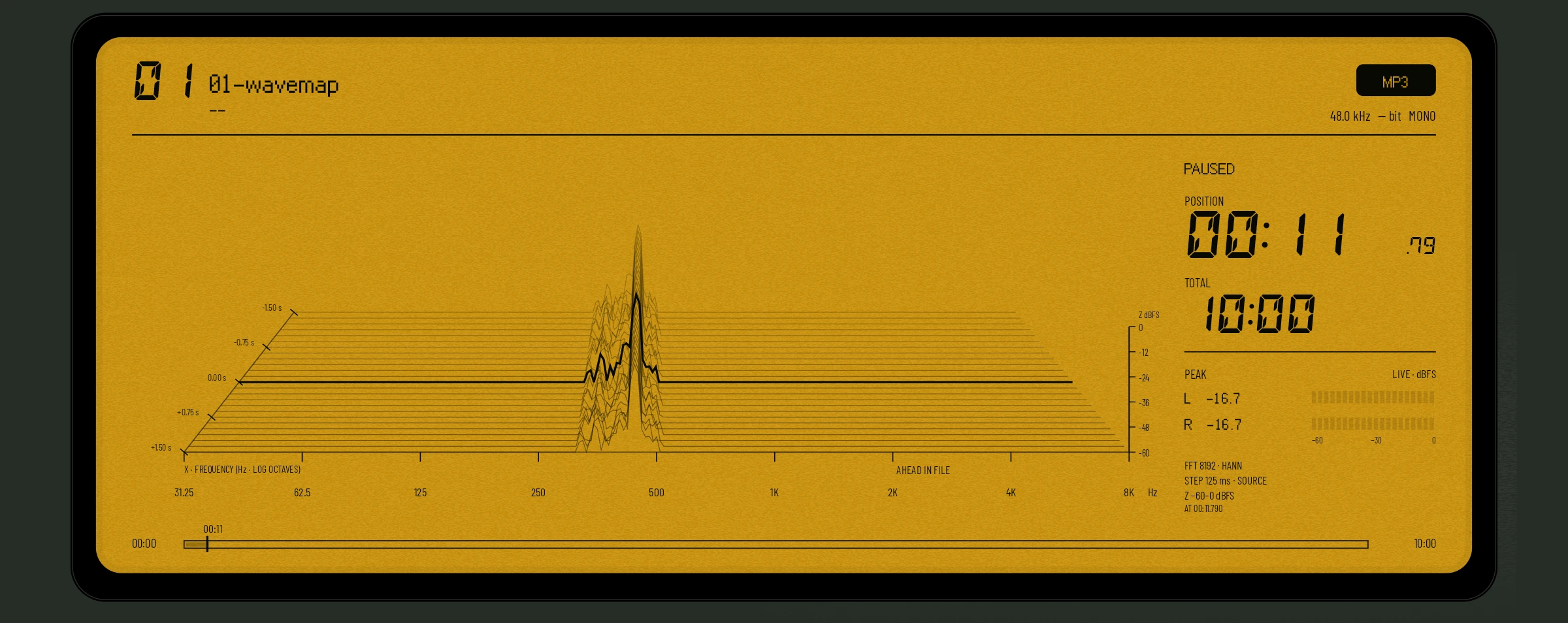
The spectrum comes from the current music. The view and tape transport stay with the same listening passage.
Start with your own folders, without an online music library. Choose a song, press play, and stay with the music.
Grant access through the system folder picker to play the local music you select.
Background playback and system media controls follow your everyday listening.
Restore the track and position. Press play to continue when you reopen the app.
Try the built-in demo tracks, then find your own music. Take your time with the buttons, or touch the list directly.
DIG is an Android local music player that brings the buttons, wheel and LCD feel of a physical player to your phone. Play your own music normally, or use audible tape transport, sound effects and tape simulation to listen your way.
After the initial guide, you can play seven built-in demo tracks. You can also use the folder entry to select your own music folder, then select a track or press play. A first installation or first upgrade to licensing requires online verification for full use if no valid local license exists.
Choose Fresh Tape or moderately worn tape simulation in the sound presets, then enable shake simulation if you wish. You can also adjust effects individually and save your own sound.
The current DIG project supports Android 8.0 or later. Check the official installation instructions through the download entry before installing.
Use wired headphones. In the developer’s tests, wired headphones resolved the noticeable wheel-control delay heard over Bluetooth. Actual response still varies with the phone, system and output device. Display updates follow another path; Bluetooth audio delay does not explain dropped display frames.
Use wired headphones. In the developer’s tests, they resolved the noticeable shake-control delay heard over Bluetooth; actual results still depend on the device and output route. Check that sound-affecting Shake Simulation is enabled. Dynamic Button Reflections is a separate visual switch and does not change sound.
The roughly 20 ms transition between old and new chains can briefly add processing work, but does not establish the cause. Inspect chain output peaks and reduce excessive effect gain to investigate clipping, then remove unused effects and compare load. The overload light reports peaks, not underruns.
Processing that persistently falls behind playback can underrun; a larger background buffer only provides room for scheduling jitter. Remove unused effects and compare the same passage. Bypassed instances still compute to maintain state, so bypass does not replace removing instances to reduce work.
Instructions come with the app and can be revisited in Settings.
An Android local music player. The look of precision equipment. A sound of your own.
Internet access is required to verify your Google Play license before full use. DIG checks in the background when opened and when connectivity returns. Each new successful verification allows up to 180 days offline. Old results do not renew this period.
An Android local music player with the warmth of familiar equipment.
01 — TACTILE BY DESIGN
Reflections on glass buttons, markings on a metal wheel, and a little afterglow from an amber LCD. Familiar equipment details return to every listen.
01 / AMBER LCD
Backlight and afterimages give information a little warmth.
02 / BLACK GLASS
Enable dynamic reflections and let glass lighting follow your phone’s orientation.
03 / TAPE WHEEL
Marked steps, and changes you can hear.
02 — CONTROL THE TAPE
Fast-forward, reverse, slow down. Moving the position also changes the sound.
Move left to go forward, right to reverse. Turn faster for faster changes.
Tap or hold the direction buttons to hear continuous changes in speed.
Familiar physical-style controls also take you straight to the next track.
Hear the journey through the music, rather than simply jumping to a timestamp.
03 — BUILD YOUR SOUND
Ten rack slots, six effects. From equalization to the stereo field, arrange them in your own order and save the sound for your next listen.
Static interface preview. Tune your sound in the app.
04 — A LITTLE TIME IN THE SOUND
Choose the tape texture you like, from fresh to worn. You can also enable shake simulation to let the motion of your phone affect the sound.
Change the sound, and the mood of listening. Also includes Classical, Soft Classic Pop, Hardcore Metal and Dance Bass. Six built-in sounds, with room to save your own setups.
05 — SEE WHAT YOU HEAR
Turn your phone sideways to see the shape of sound. Double-tap to control playback; drag left or right to take over tape transport.
The spectrum comes from the current music. The view and tape transport stay with the same listening passage.
06 — YOUR MUSIC. YOUR SPACE.
Start with your own folders, without an online music library. Choose a song, press play, and stay with the music.
Grant access through the system folder picker to play the local music you select.
Background playback and system media controls follow your everyday listening.
Restore the track and position. Press play to continue when you reopen the app.
07 — START LISTENING
Try the built-in demo tracks, then find your own music. Take your time with the buttons, or touch the list directly.
DIG is an Android local music player that brings the buttons, wheel and LCD feel of a physical player to your phone. Play your own music normally, or use audible tape transport, sound effects and tape simulation to listen your way.
After the initial guide, you can play seven built-in demo tracks. You can also use the folder entry to select your own music folder, then select a track or press play. A first installation or first upgrade to licensing requires online verification for full use if no valid local license exists.
Choose Fresh Tape or moderately worn tape simulation in the sound presets, then enable shake simulation if you wish. You can also adjust effects individually and save your own sound.
The current DIG project supports Android 8.0 or later. Check the official installation instructions through the download entry before installing.
Use wired headphones. In the developer’s tests, wired headphones resolved the noticeable wheel-control delay heard over Bluetooth. Actual response still varies with the phone, system and output device. Display updates follow another path; Bluetooth audio delay does not explain dropped display frames.
Use wired headphones. In the developer’s tests, they resolved the noticeable shake-control delay heard over Bluetooth; actual results still depend on the device and output route. Check that sound-affecting Shake Simulation is enabled. Dynamic Button Reflections is a separate visual switch and does not change sound.
The roughly 20 ms transition between old and new chains can briefly add processing work, but does not establish the cause. Inspect chain output peaks and reduce excessive effect gain to investigate clipping, then remove unused effects and compare load. The overload light reports peaks, not underruns.
Processing that persistently falls behind playback can underrun; a larger background buffer only provides room for scheduling jitter. Remove unused effects and compare the same passage. Bypassed instances still compute to maintain state, so bypass does not replace removing instances to reduce work.
Instructions come with the app and can be revisited in Settings.
08 — MAKE ROOM FOR MUSIC
An Android local music player. The look of precision equipment. A sound of your own.
Internet access is required to verify your Google Play license before full use. DIG checks in the background when opened and when connectivity returns. Each new successful verification allows up to 180 days offline. Old results do not renew this period.